☰ Menu
Who It’s For
Resources
☰ Menu
Who It’s For
Resources
Home / Who it’s For / Solo Professionals
BOOKING SOFTWARE FOR SOLO PROFESSIONALS
You handle the clients, the work and everything in between. Let ClimbCal handle the back-and-forth of finding an appointment time.
✓ Share your own booking link anywhere
✓ Sync your calendar and protect personal time
✓ Set booking rules that work for your day
Made for independent professionals. Compare plans for the features that fit your business.
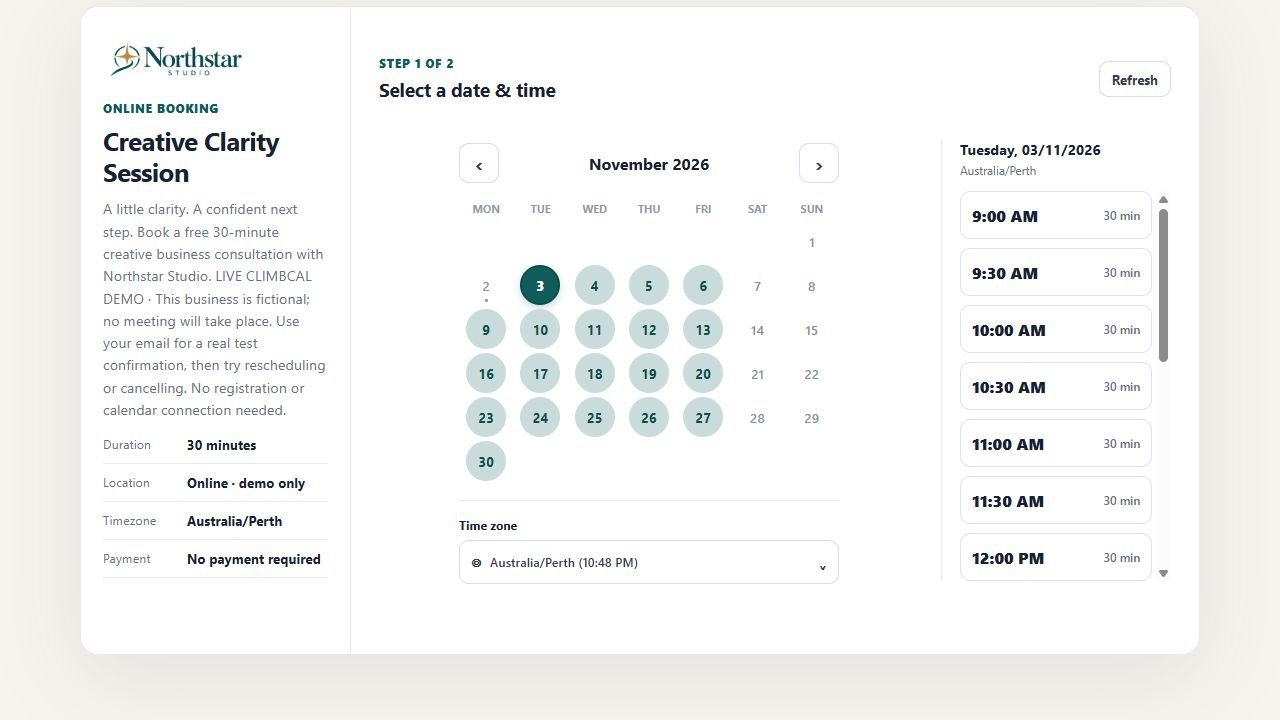
Real ClimbCal individual-appointment demo. Northstar Studio and its Creative Clarity Session are fictional.
A branded link clients can use themselves
Google and Microsoft calendar sync
Connect your own Stripe account
BUILT FOR INDEPENDENCE
For consultants, independent practitioners, freelancers and anyone who runs their own appointment-based business.
01
Put the same branded booking link on your website, email signature and social profiles. Give every enquiry a clear next step.
Branded booking link
02
Connect Google or Microsoft Calendar so existing commitments are considered before appointment times are offered.
Calendar sync
03
Choose working hours, minimum notice, buffers and daily booking limits. Leave space between client work and the rest of your day.
Flexible schedules
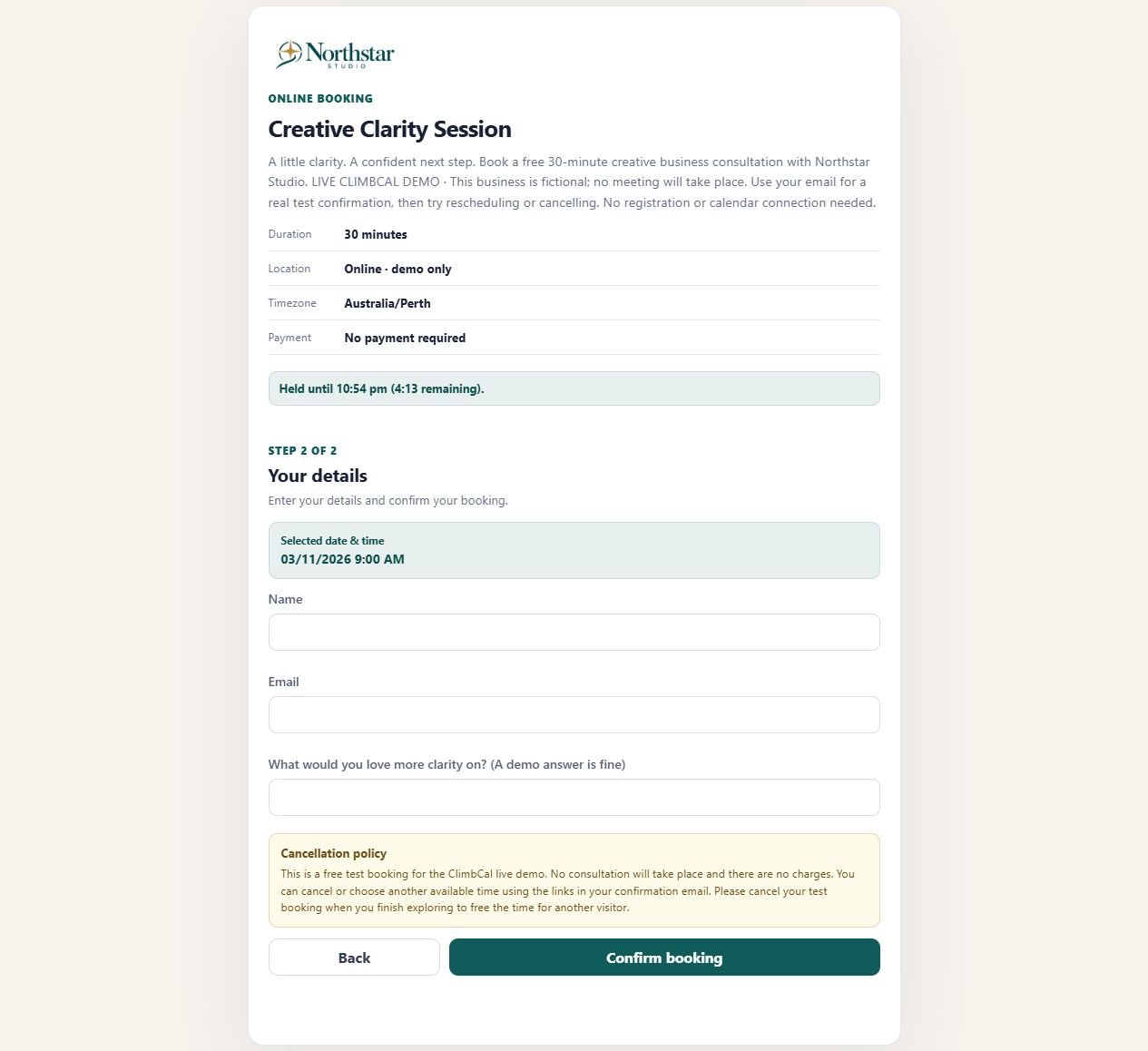
Real ClimbCal booking form, with a preparation question and appointment details before confirmation.
A SMOOTHER CLIENT EXPERIENCE
Let clients understand the appointment, see your availability and book without emailing you first. Ask a useful question in the booking form so you can prepare before you meet.
✓ Create appointment types with their own durations
✓ Collect the information you need before each meeting
✓ Offer Stripe-powered payment when a supported booking calls for it
SPACE FOR CLIENTS. SPACE FOR YOU.
Keep appointments within the hours you want to offer. Connect your existing calendar, make one-off availability changes and leave buffers around meetings so a busy day still has room to breathe.
✓ Weekly hours and one-off date overrides
✓ Minimum notice, booking windows and daily limits
✓ Calendar conflict checks before confirmation
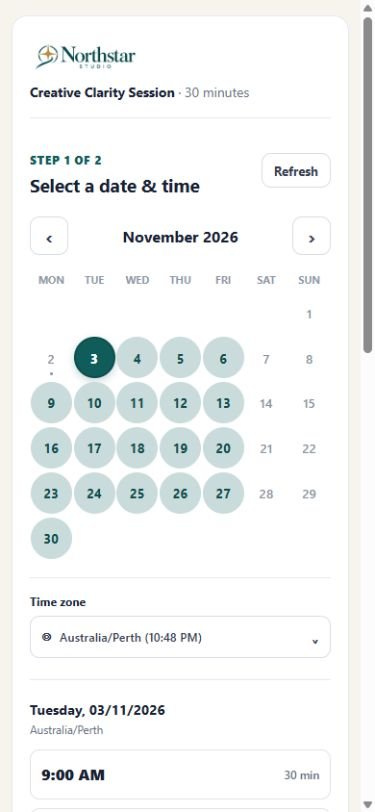
Real ClimbCal mobile booking page: clients see the dates and times available for the chosen appointment type.
HOW IT WORKS
Set up the way you work, then let clients find a time that suits.
01
Set the duration, location and questions you want clients to answer before a consultation, follow-up or discovery call.
02
Choose your working hours and connect Google or Microsoft Calendar to account for existing commitments.
03
Add your booking link to emails, messages and social profiles. Clients select a suitable time while you get on with your work.
Compare subscriptions and lifetime licence options, and check which features are included in each plan.
GOOD TO KNOW
Practical answers for independent professionals choosing an online booking system.
Is ClimbCal suitable for a one-person business? +
Yes. ClimbCal supports independent professionals who need a branded booking link, appointment types and availability controls. You can also explore team features if your business grows. Compare plan inclusions to choose what you need now.
Can I connect my Google or Microsoft Calendar? +
Yes. ClimbCal supports Google and Microsoft Calendar connections. Existing commitments are considered when showing available times, and confirmed bookings can sync back to your connected calendar.
Can I prevent people booking at the last minute? +
Yes. Configure minimum notice and booking windows, leave buffers around appointments and set daily booking limits. These controls help keep bookings within the time you want to offer.
Can I share a booking link without having a website? +
Yes. Share your public booking link in emails, messages, your email signature or social profiles. Clients can open it to choose an available appointment time.
Can I take paid bookings? +
Yes. Stripe-powered payments are available for supported booking flows. Connect your own Stripe account and check the relevant plan and appointment settings. The individual demo shown here is a free test appointment.
GET YOUR BOOKINGS WORKING FOR YOU
Explore the essentials, then put a clear booking route in front of your clients.
Give clients a direct way to choose a time from your existing website.
Read the guide →
Connect a clear call to action to your ClimbCal booking link.
Read the guide →
A practical guide for independent beauty professionals deciding which booking features matter.
Read the guide →
BUILT AROUND YOUR WORK
Spend less time organising appointments and more time doing the work that keeps your business moving.