
☰ Menu
Who It’s For
Resources
☰ Menu
Who It’s For
Resources
Home / Who it’s For / Personal Trainers
BOOKING SOFTWARE FOR PERSONAL TRAINERS & COACHES
Make it simple for clients to book consultations, training sessions and check-ins while you organise coaching hours around the work that matters.
✓ Offer clear session types and available times
✓ Protect training hours with buffers and notice periods
✓ Accept Stripe-powered payments for eligible appointments
Compare plans for service-booking, team and payment inclusions. The trainer demo uses free test appointments.
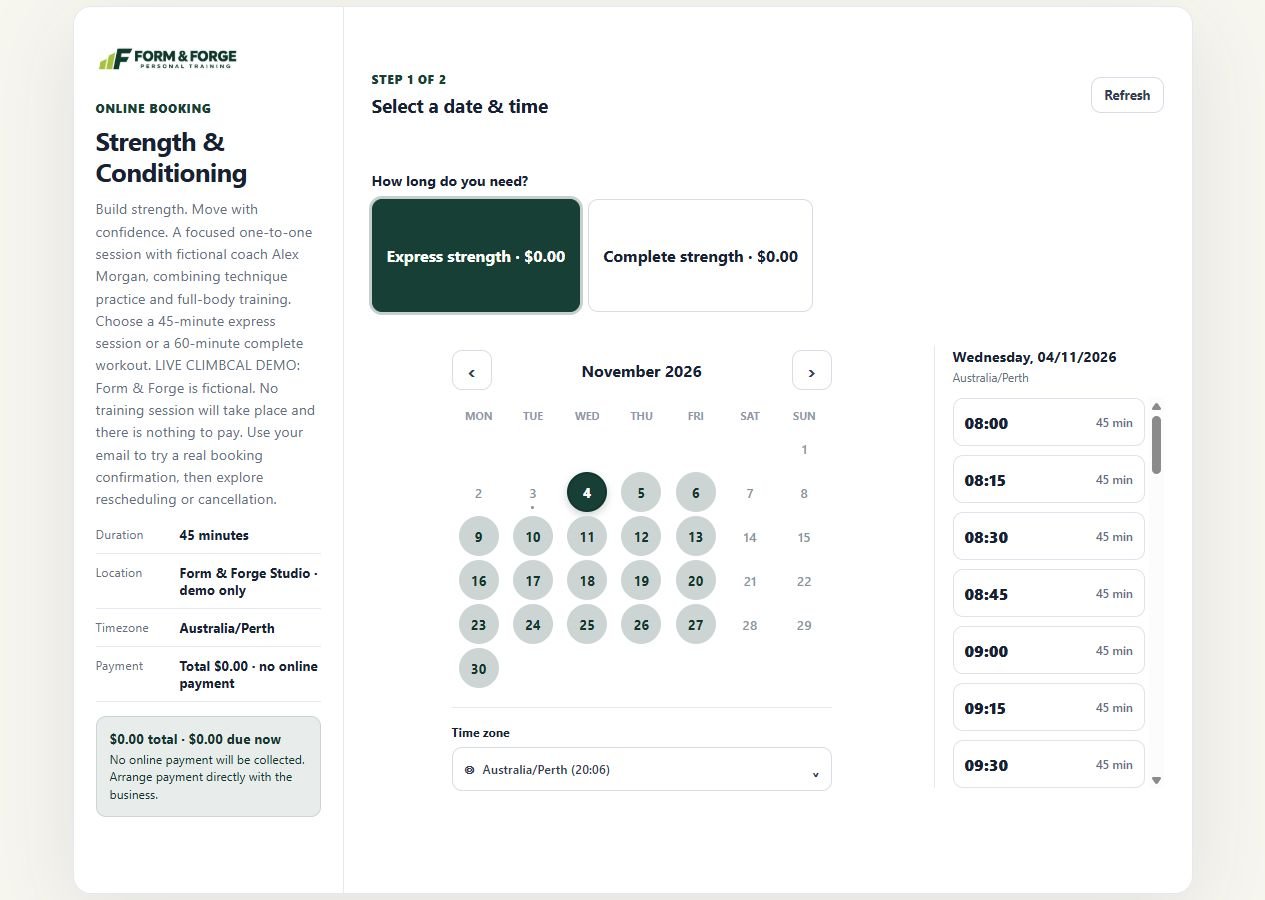
Real ClimbCal trainer demo: a Strength & Conditioning session with duration options and available times. Form & Forge and coach Alex Morgan are fictional.
A branded link clients can use themselves
Google and Microsoft calendar sync
Connect your own Stripe account
BUILT FOR ACTIVE SCHEDULES
From independent PTs to small coaching teams, give clients a clearer path to their next session.
01
Separate a first consultation, one-to-one workout and progress check-in. Give each appointment the description and duration it needs.
Session types
02
Collect session goals, training preferences and appointment logistics in the booking flow so you can prepare before you meet.
Booking questions
03
Set the hours clients can book, leave travel or preparation buffers, and use minimum notice to keep last-minute changes manageable.
Booking rules
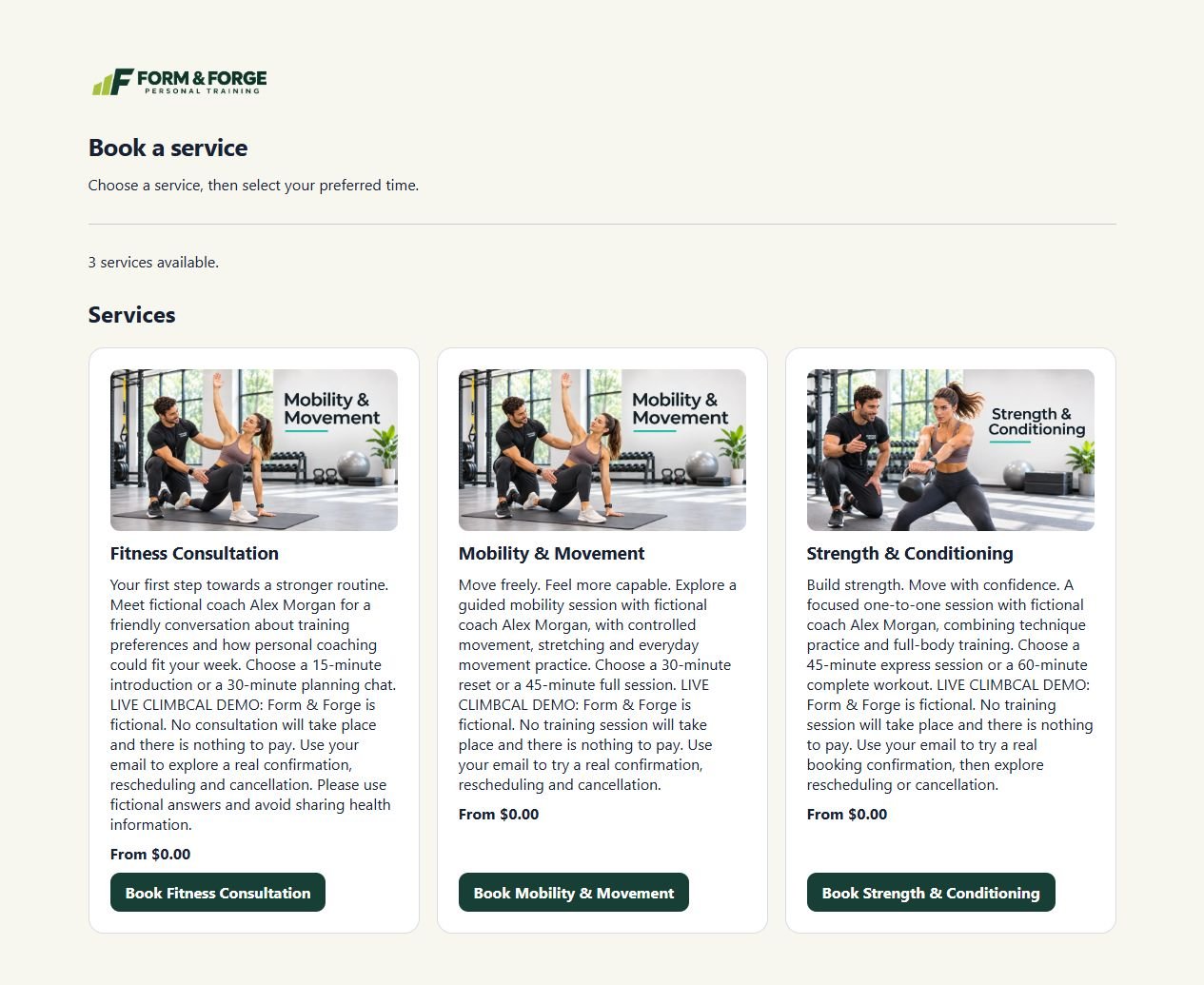
Real service catalogue from the production Form & Forge trainer demo, with three session types clients can choose.
A SMOOTHER CLIENT EXPERIENCE
Give clients one branded place to see your sessions, choose an appointment length and find an available time. Share it from your gym profile, website or social channels.
✓ Clear descriptions and durations for each session
✓ Booking questions for goals and appointment logistics
✓ A direct booking link clients can open themselves
A SCHEDULE THAT WORKS FOR YOUR COACHING
Connect your existing calendar to account for work and personal commitments. Set your training hours, leave time to prepare or travel, and make one-off availability changes when a week looks different.
✓ Weekly hours and one-off date overrides
✓ Buffers, notice periods and booking windows
✓ Calendar conflict checks before confirmation
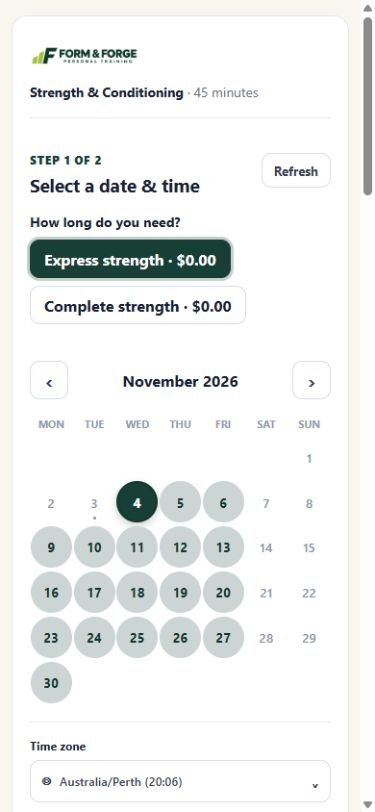
Real mobile view of the Form & Forge demo: choose a session length and an available date.
HOW IT WORKS
Set up your sessions once, then let clients choose from the time you want to offer.
01
Describe consultations, workouts and check-ins with suitable durations and useful questions for clients.
02
Add the days you train, connect your calendar and choose buffers and notice periods that fit your routine.
03
Share your booking link from your website or gym profile. Clients choose an available session and receive confirmation.
Compare subscriptions and lifetime licence options, and check which features are included in each plan.
GOOD TO KNOW
Practical answers for personal trainers choosing an online booking system.
Can clients book different types of personal training sessions? +
Yes. Create distinct appointment or service types with their own descriptions and durations, such as a fitness consultation, a one-to-one session or a progress check-in. Compare plans for the service catalogue and other features you need.
Can I ask clients questions when they book? +
Yes. Custom booking questions can collect useful goals, training preferences and appointment logistics before a session. Use the questions to prepare for the appointment and keep any separate assessment process appropriate to your business.
Can I leave time between coaching sessions? +
Yes. Configure buffers, minimum notice and booking windows so client appointments fit the time you want to offer. A buffer can leave space to prepare, travel or reset before the next session.
Can I change my availability from week to week? +
Yes. Set regular weekly hours and use one-off date overrides for a changed schedule. Connected Google or Microsoft calendars can also help account for existing commitments.
Can I add other coaches or collect session payments? +
Team workspaces and staff scheduling can support additional coaches, and Stripe-powered payments are available for eligible booking flows. Check plan and seat inclusions. The Form & Forge demo uses fictional sessions with no payment required.
BUILD A CLEARER ROUTE TO YOUR NEXT SESSION
Practical guides to adding online booking and making your booking link easy to find.
Connect your coaching website to a client booking experience.
Read the guide →
Give clients a direct route from your website to your session catalogue.
Read the guide →
Find setup advice for booking links, services and day-to-day appointment management.
Read the guide →