
☰ Menu
Who It’s For
Resources
☰ Menu
Who It’s For
Resources
Home / Who it’s For / Hair Salons
BOOKING SOFTWARE FOR HAIRDRESSERS & HAIR SALONS
Let clients book a cut, colour consultation or blow-dry online. Keep your stylists’ diaries organised while your team gets on with the work they love.
✓ Help clients find a time for the right hair service
✓ Offer appointments with their preferred stylist
✓ Manage deposits and appointment changes with less back-and-forth
Service catalogues and staff selection are available with Advanced.
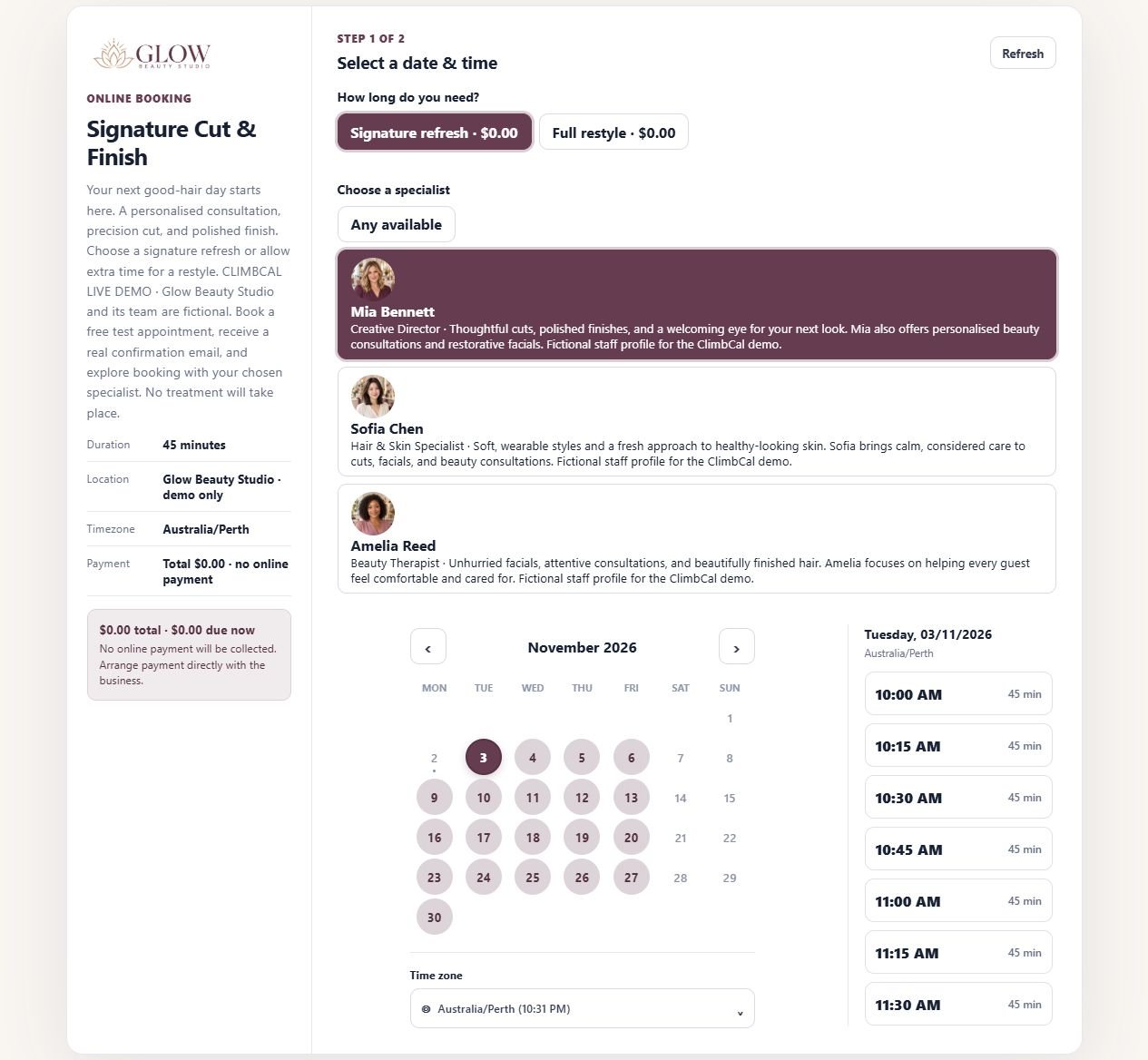
Real ClimbCal demo: Signature Cut & Finish, with stylist choice and available appointment times. Demo business and staff are fictional.
A branded link clients can use themselves
Google and Microsoft calendar sync
Connect your own Stripe account
MADE FOR BUSY HAIR SALONS
Built around different service lengths, returning clients and a team that is rarely sitting at reception.
01
A trim and a full restyle need different amounts of chair time. Give each service its own duration and clear booking details.
Service durations
02
Make it easier for regular clients to book their preferred hairdresser, or choose any available stylist who offers the service.
Stylist selection
03
Check connected calendar commitments and each stylist’s availability before a slot is offered to a client.
Conflict protection
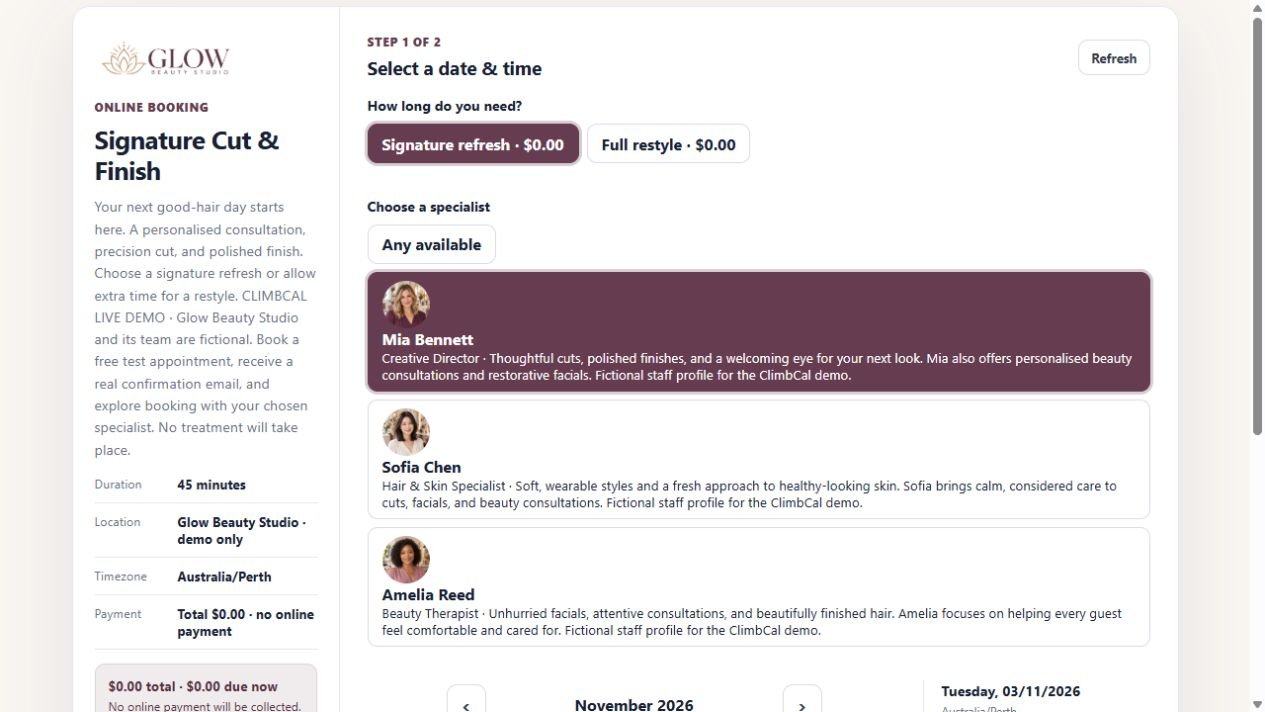
Real ClimbCal booking flow: appointment length and stylist selection for a hair service.
A SMOOTHER CLIENT EXPERIENCE
Give clients a branded way to browse your hair services, choose a stylist and find a suitable time. Share the link from your website, social profiles or appointment reminders.
✓ Separate services for cuts, blow-dries and colour consultations
✓ Appointment lengths and intake questions that fit each service
✓ A Book Now link that works with your existing website
AVAILABILITY THAT FITS YOUR STYLISTS
A quick trim, a full restyle and a colour consultation need different space in the diary. Set the service length and the stylists who offer it, then show clients times that match their choice.
✓ Set individual hours for part-time or rotating stylists
✓ Leave buffers between appointments when you need them
✓ Use notice periods and connected-calendar conflict checks
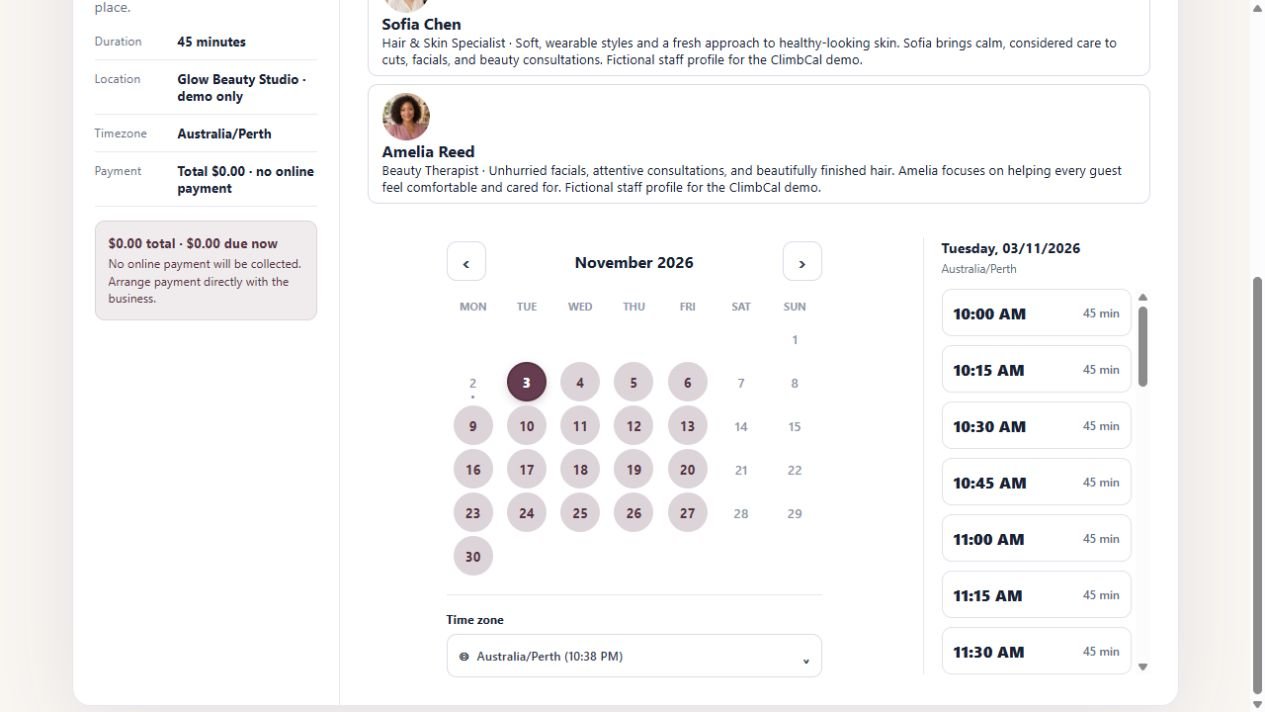
Real ClimbCal demo: available 45-minute appointments for the selected stylist. Availability shown is an example.
HOW IT WORKS
Set up your hair services once, then give clients a clearer path to their next appointment.
01
Add cuts, styling and consultations with accurate durations, descriptions and booking details.
02
Choose who offers each service and set individual working hours, date overrides and preparation buffers.
03
Share your booking link. Clients choose a service, a stylist and an available time, then receive confirmation.
Compare subscriptions and lifetime licence options, and check which features are included in each plan.
GOOD TO KNOW
Practical answers for hairdressers choosing an online booking system.
Can clients book a specific hairdresser? +
Yes. With Advanced service bookings, assign eligible stylists to each hair service and enable staff selection. Clients can choose their preferred available stylist or select any available person.
Can I set different durations for a cut and colour consultation? +
Yes. Services can have their own appointment lengths, descriptions and booking settings. For example, offer a shorter consultation separately from a cut or a longer restyle, and allow enough time for the full appointment.
Can clients book directly from my salon website? +
Yes. Add a Book Now button linking to your branded ClimbCal booking page, or integrate booking with your website. The same link can be shared from social profiles and other customer touchpoints.
Can I collect deposits for longer appointments? +
ClimbCal supports fixed deposits and full payment through Stripe for eligible service bookings. Connect your own Stripe account and choose the payment approach for each service. The live demo shown here uses free test appointments.
Is ClimbCal a full hair salon POS system? +
ClimbCal focuses on online booking, team scheduling, availability, calendar sync and Stripe-powered payments. Review retail point-of-sale, stock management and other salon operations separately if your business needs them.
PRACTICAL GUIDES FOR YOUR HAIR SALON
Set up your team, understand your costs and add a booking link clients can find.
Connect services, staff assignments and individual availability in a salon workspace.
Read the guide →
Review plan costs, staff seats and payment considerations before choosing a system.
Read the guide →
Give clients a direct route from your WordPress website to your booking page.
Read the guide →
BUILT AROUND YOUR WORK
Give your clients a convenient way to book their next hair appointment, around your team’s real availability.